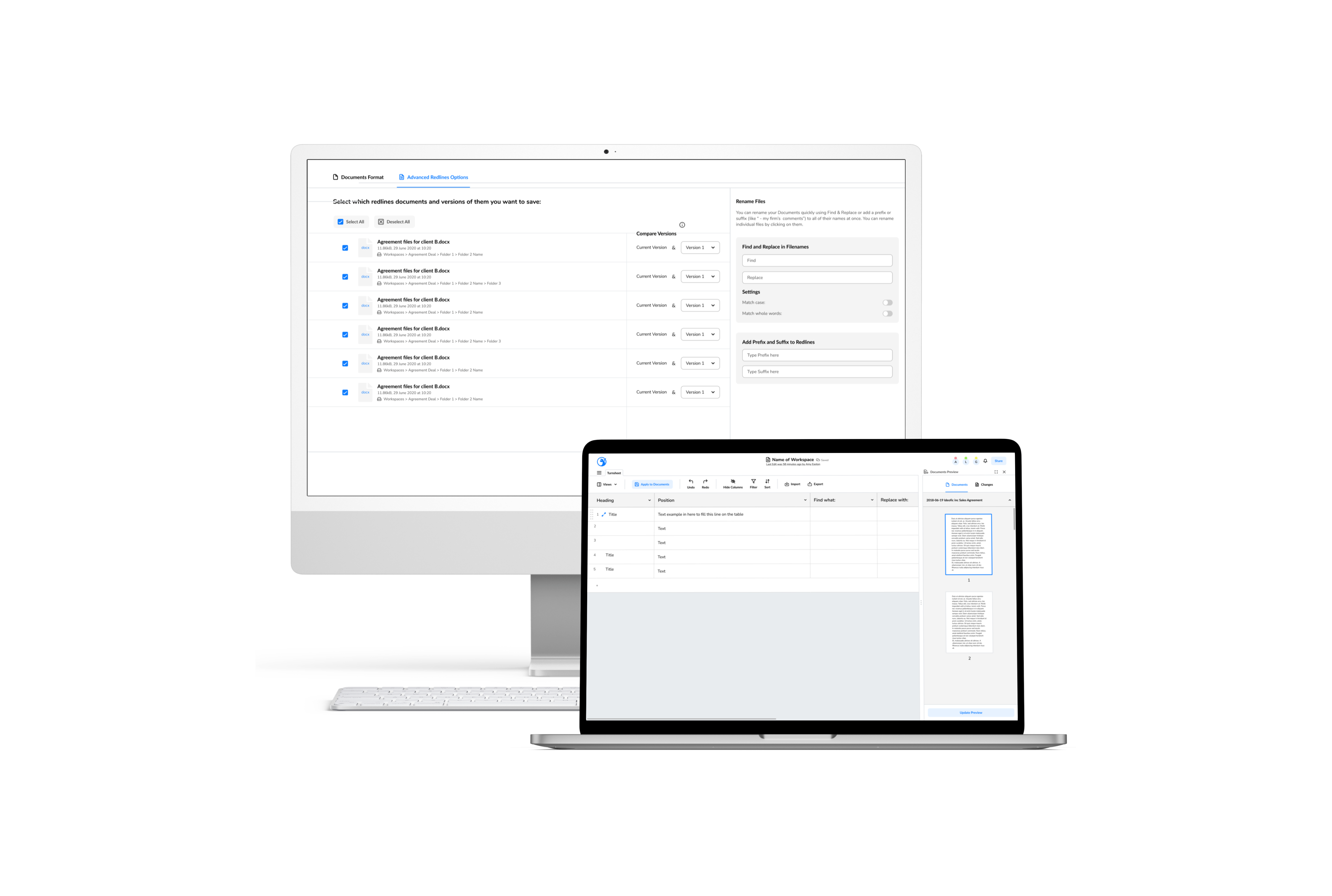
Legal documentation: an automated solution
A document and workflow automation application to help lawyers optimize their time spent on document review and redlining, automating repetitive tasks so lawyers can focus on higher-value work.
The objective of this project was to design a SaaS product. A document and workflow automation application to help lawyers optimize their time spent on document review and redlining. The application was created to automate the repetitive tasks involved in document review and enable lawyers to focus on higher-value work such as deal negotiations.
Problem
Lawyers spend a significant amount of time reviewing documents and redlining, which can be a tedious and time-consuming process. This can result in delays in closing deals and cause frustration for both lawyers and clients. Additionally, the manual process of document review can lead to errors and inconsistencies, which have serious consequences for legal agreements.
There is a need for an efficient and automated solution that can streamline the document review process, minimize errors, and enable lawyers to focus on higher-value work such as deal negotiations. This project aims to address this need by designing a document and workflow automation application that enables lawyers to optimize their time spent on document review and redlining.
Research review & sketching
Immersing myself in the existing research was critical to gain a deep understanding of the legal automation app’s users and their needs. I dove headfirst into the trove of information that the team had accumulated and made it my mission to absorb every detail about legal terminology, user personas, and user interviews. This exercise allowed me to empathize with the app’s users and keep a user-centered approach as I moved forward with the project.
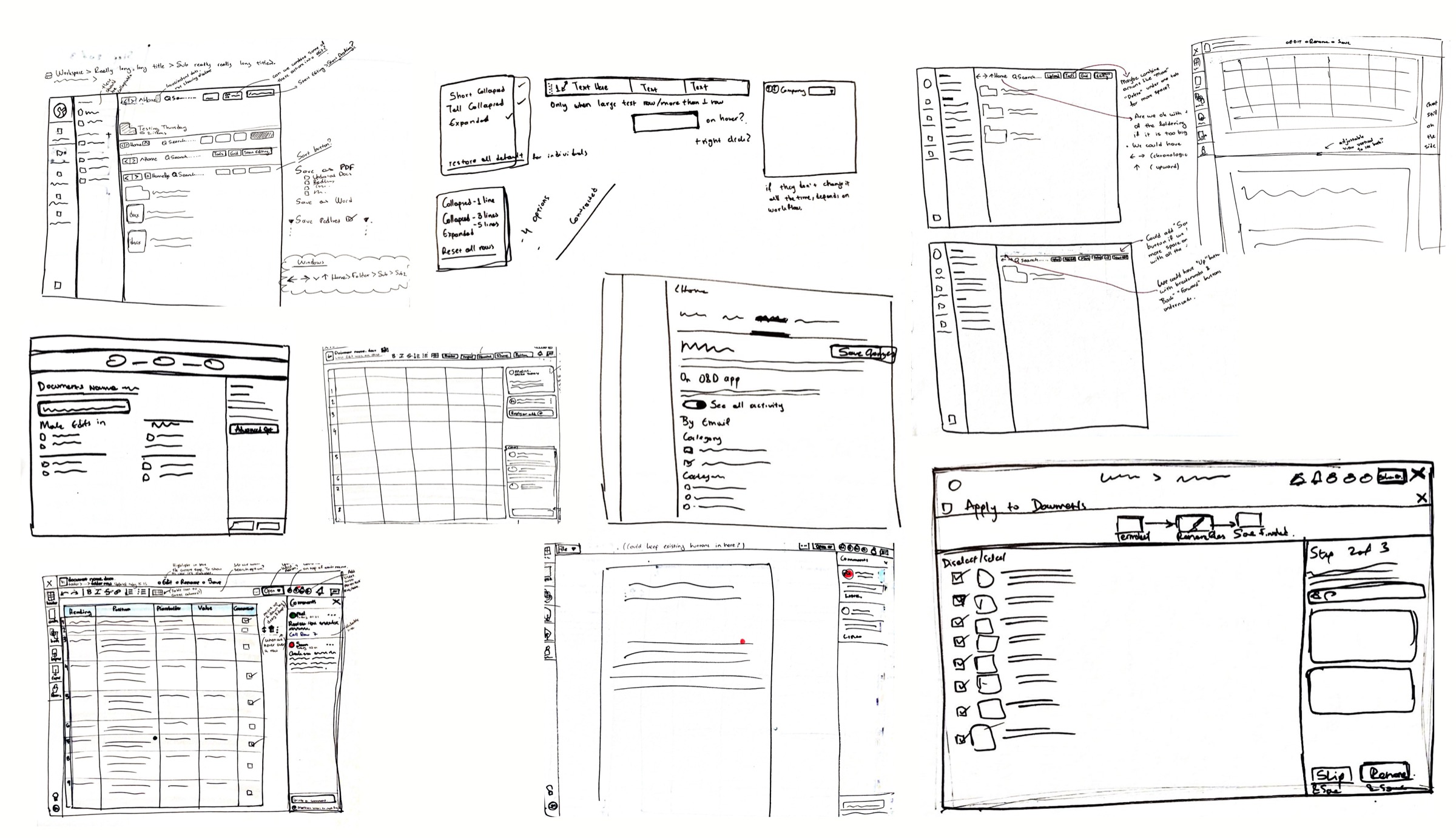
As I got more comfortable with the project, I started collaborating with the engineer and product owner. Together, we identified some minor yet essential features that needed improvement based on the feedback from A/B testing. Armed with these insights, I quickly set to work sketching out mock-ups of the app’s redesigned features.
User flows
As we delved deeper into the project, we realized that designing complex features required a more collaborative approach. So, we held a series of Zoom calls as a team to discuss and brainstorm the best user workflows. It was fascinating to witness firsthand how everyone’s unique perspective and expertise could come together to create something truly innovative.
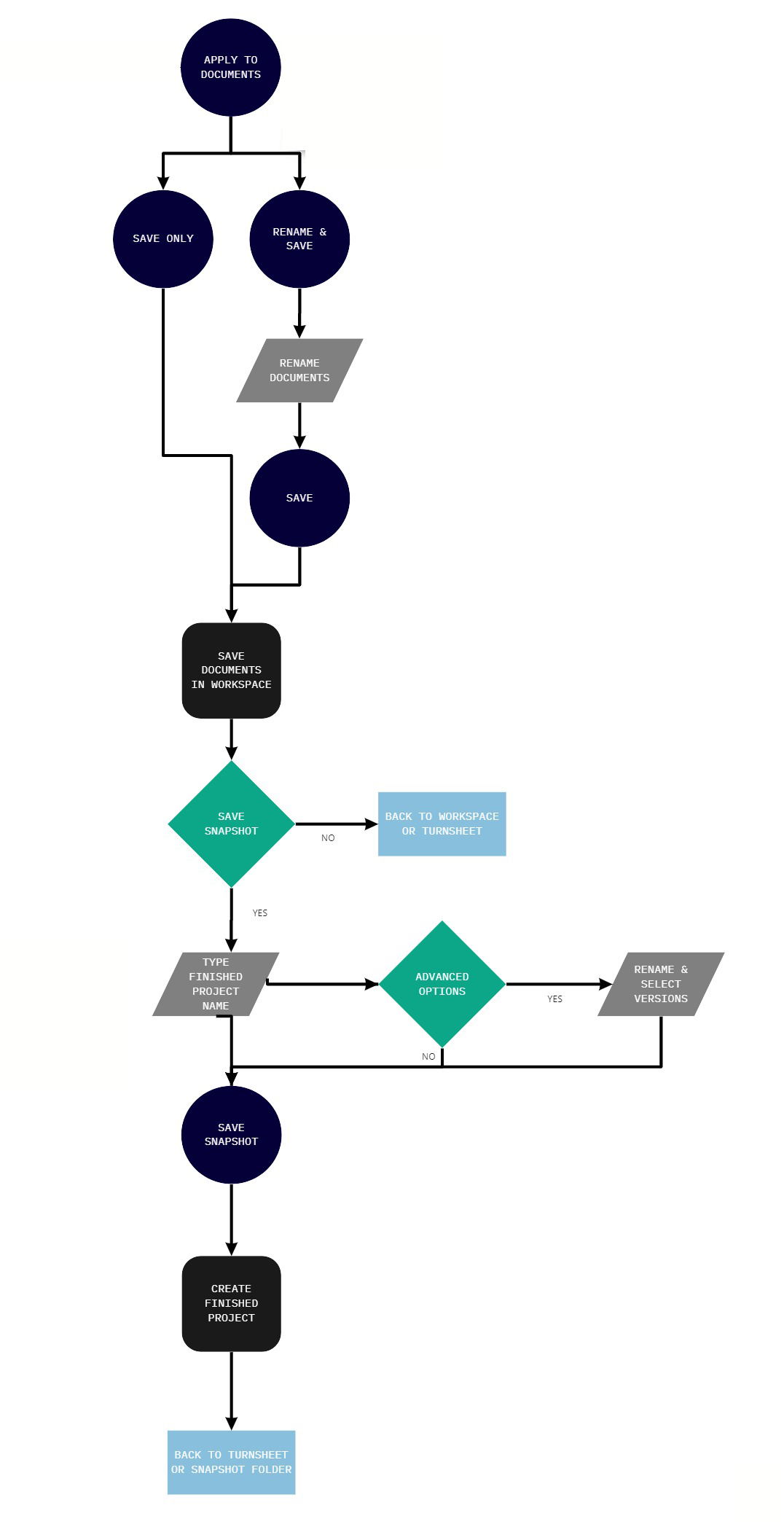
Our product owner’s experience as a lawyer was invaluable, and we made assumptions based on his insights, but we knew we needed to validate them. So, we moved on to testing, and that’s when things started to take shape. After the sessions, I took it upon myself to create a user flow to ensure that everyone on the team was aligned and working towards the same goals.
Creating consistency
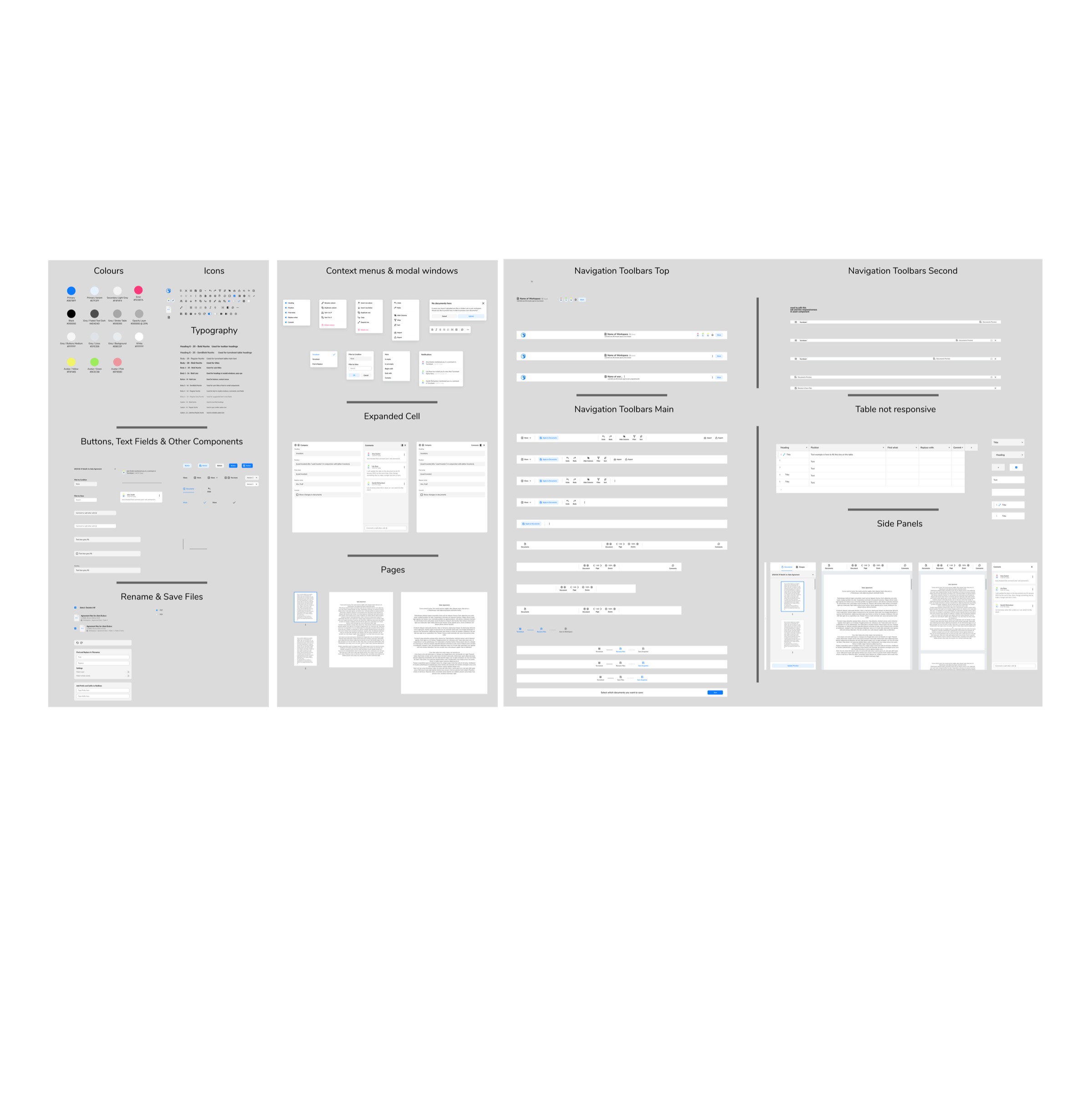
As I worked on the low-fidelity designs, I knew that consistency was key to ensuring a seamless user experience. So, I created a Figma file that documented all the design elements, making them easily reusable across the app. I made sure to follow the same style framework used by our engineers to ensure consistency across the board.
High-fidelity designs
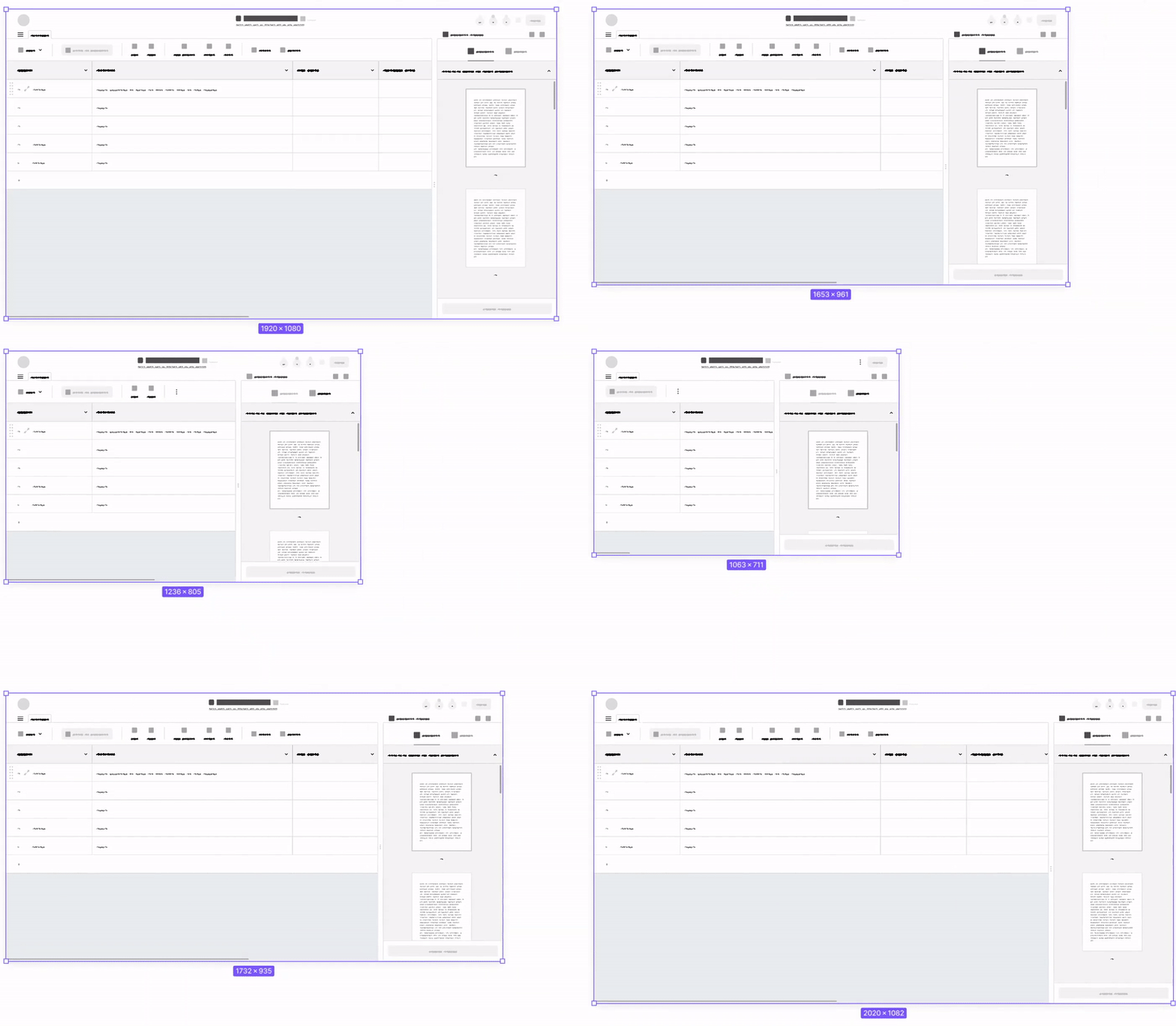
As my design work progressed, my focus shifted to the most critical aspect of the app: the new main feature. I created responsive mock-ups that I could hand off to the engineering team, and seeing all the components click into place was like solving a satisfying puzzle. Utilizing Figma plugins allowed me to streamline the design process, making it more efficient and effective.
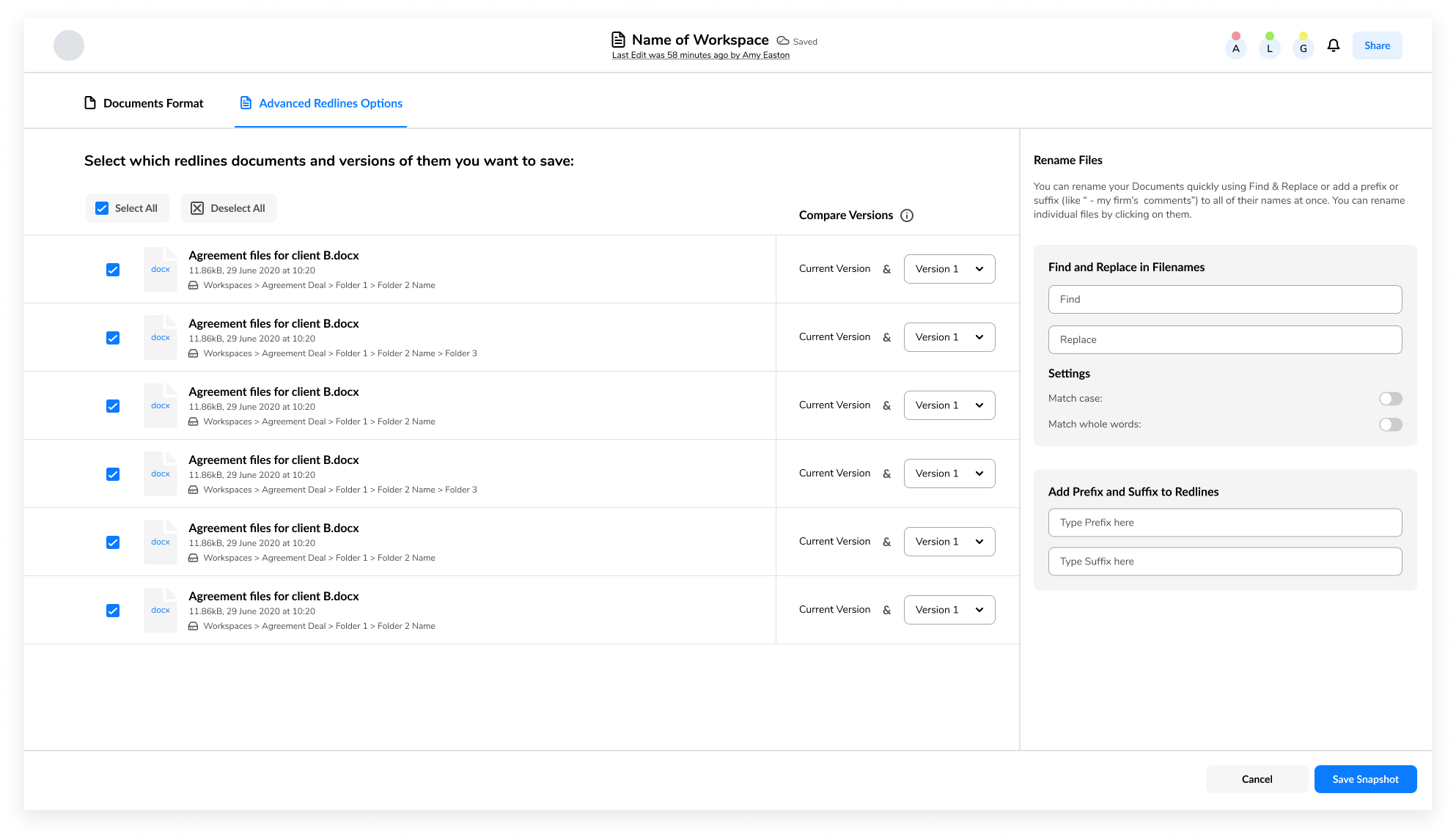
However, one of the most complex tasks I faced was figuring out the best way for users to save their new documents. I knew that this feature was crucial to the user experience, and it needed to be intuitive and straightforward. To achieve this, I drew inspiration from existing platforms that our users were familiar with and focused on their needs.
Conclusion
Through my experience designing features for the document and workflow automation application, I’ve learned the importance of connecting research findings to new features and always keeping the user in mind. I’ve also gained confidence as a designer and valuable insights into how designs get implemented by collaborating with the engineering team.
Starting a new career path remotely has been an adventure, but the team has made the experience special by providing guidance and autonomy. Overall, I’ve learned new concepts and skills, taken on tasks outside of my comfort zone, and prioritized research and design tasks.
